
Room booking that fits your workplace rules
Help employees find, reserve and manage the right meeting room across sites. flexEZ brings availability, calendars, room displays, policies and services into one operational workflow.
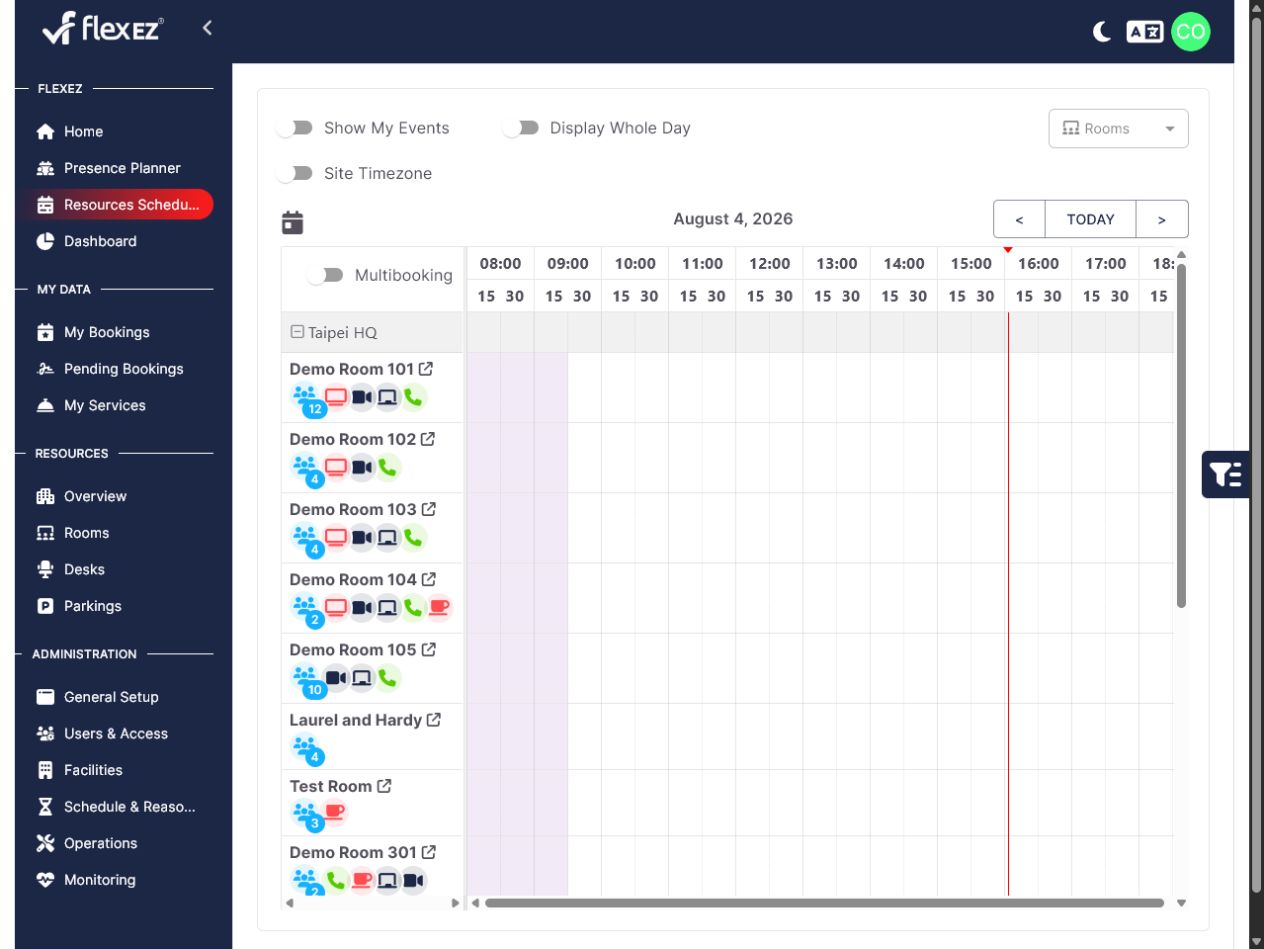
From available room to ready-to-submit booking
The booking assistant keeps resource choice, meeting details and optional workplace services in one guided flow.
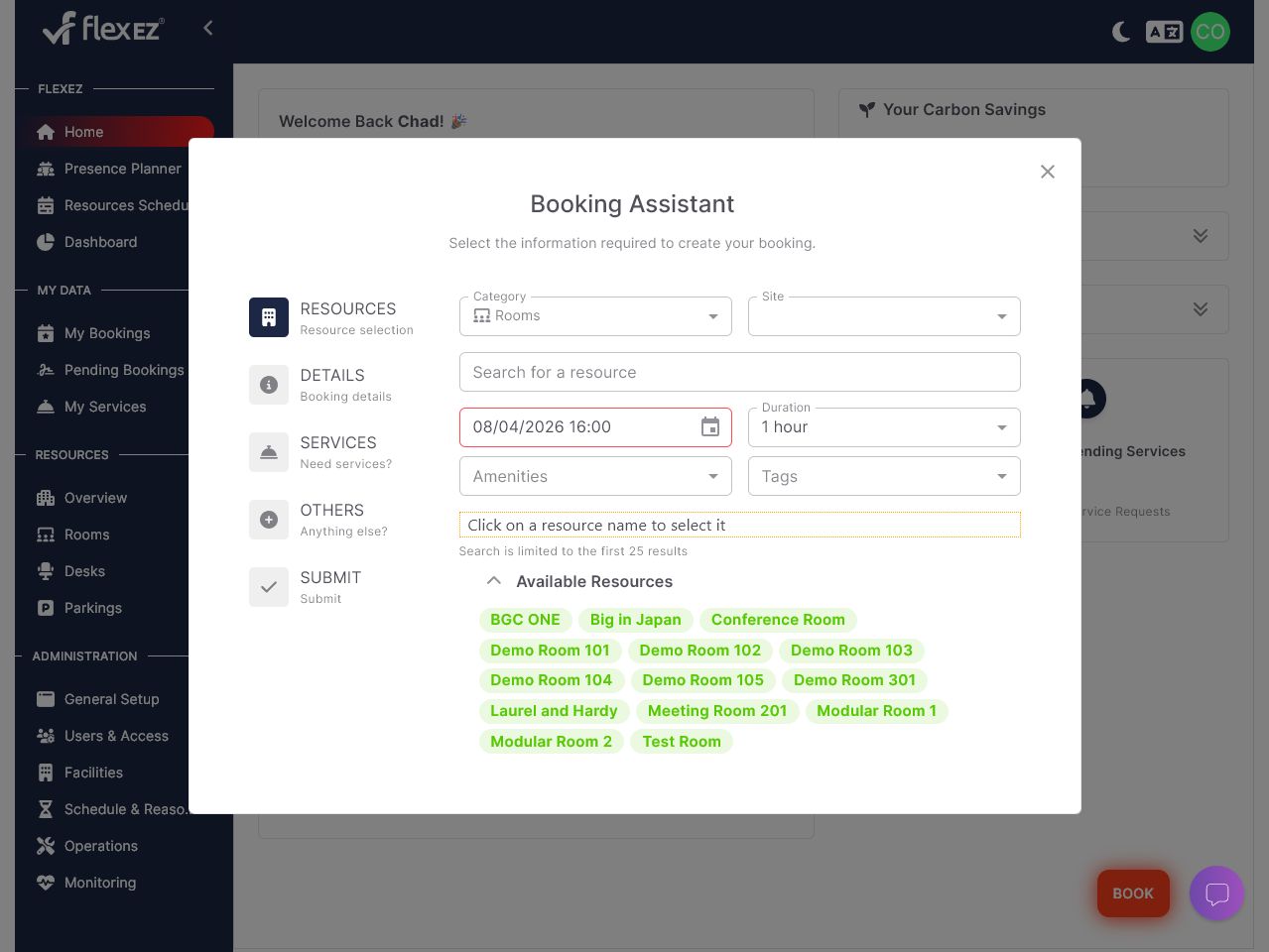
Choose the right resource
Filter by category, site, time, amenities or tags, then select from the rooms available.
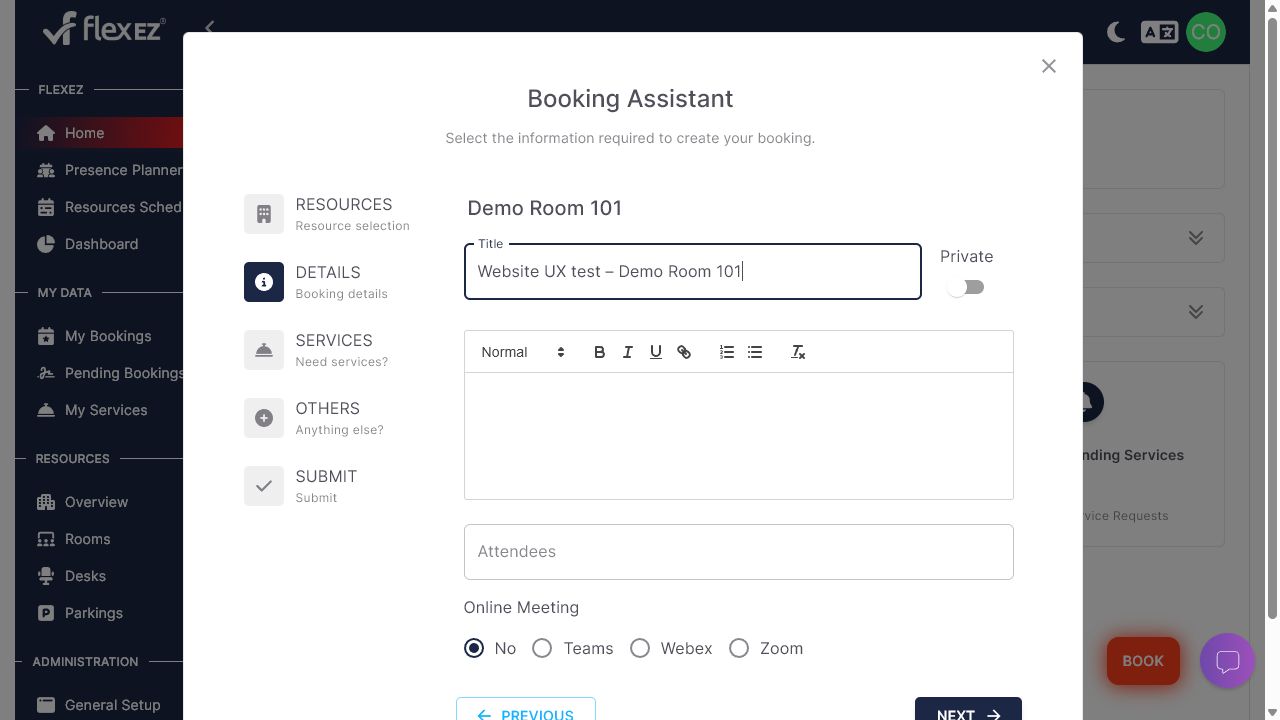
Add meeting details
Set the title, attendees, privacy and online meeting option without leaving the workflow.
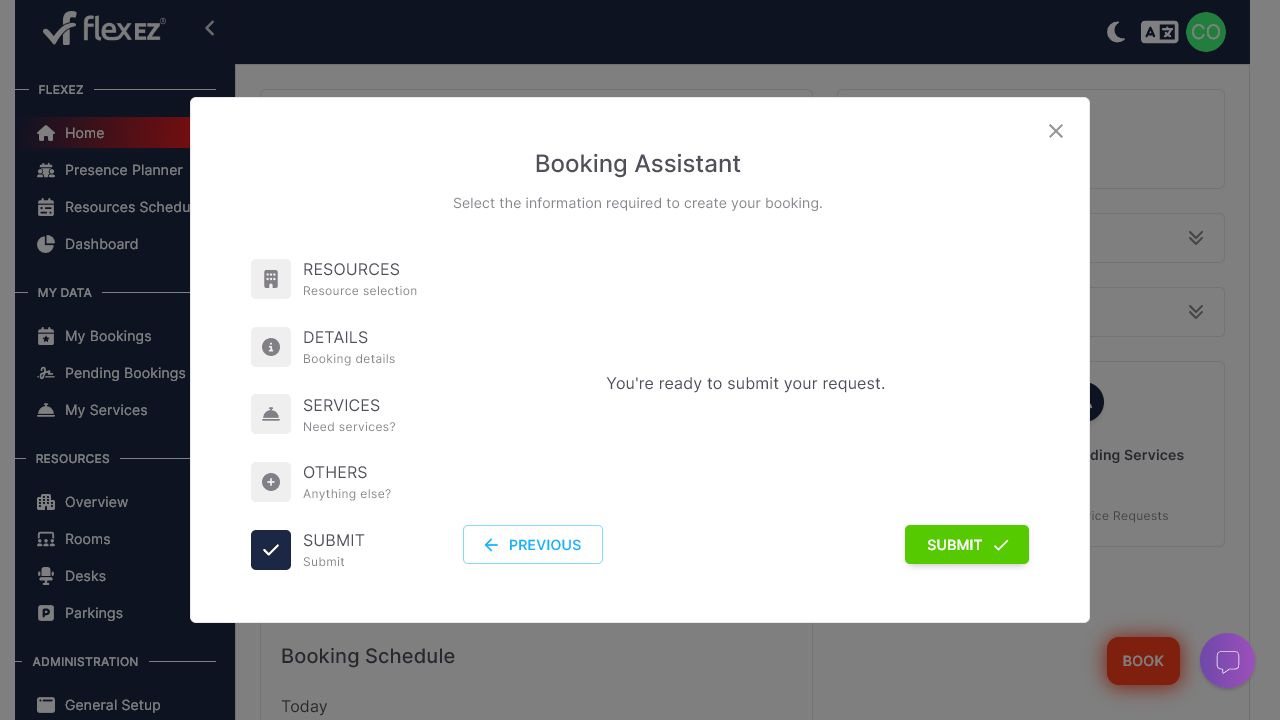
Review and submit
Confirm the request after any services or additional resources have been considered.
Book through the touchpoint that fits the moment
Give employees consistent access through the web portal, calendars, collaboration tools and room-side devices.
Desktop Portal
Search and schedule rooms with the filters, policies and availability information your organization needs.
QR Code Booking
Offer a quick path to the room workflow from a QR code placed at the location.
Use the same room information and booking rules as other flexEZ channels.
Microsoft Teams Integration
Bring room booking into the Microsoft Teams environment employees already use.
Room Tablets
Show availability and support booking or check-in at the room door with supported tablet workflows.
Connect the digital booking workflow to the physical meeting space.
One operational workflow for rooms
Keep availability, booking status, identity and services aligned across workplace touchpoints.
Clear confirmation and current status
Keep room status visible across the booking channels and devices you choose to connect.
Real-time Availability
See current room status instantly across all devices
Secure Authentication
NFC cards, PIN codes, and SSO integration
Smart Automation
Automatic collision detection and ghost booking prevention
Room management for real operating conditions
Configure the rules, information and integrations that make booking work across your locations.
Real-time Availability
Live status updates across all booking channels ensure accurate availability information
Collision Detection
Automatic prevention of double bookings and scheduling conflicts
Usage Analytics
Detailed insights into room utilization patterns and booking trends
Calendar and workplace integration
Connect Microsoft 365, Exchange, Outlook, Teams and Google Workspace resource calendars according to your deployment requirements.
Connect booking to the workplace systems you use
Integrate familiar tools without reducing room booking to a standalone island.
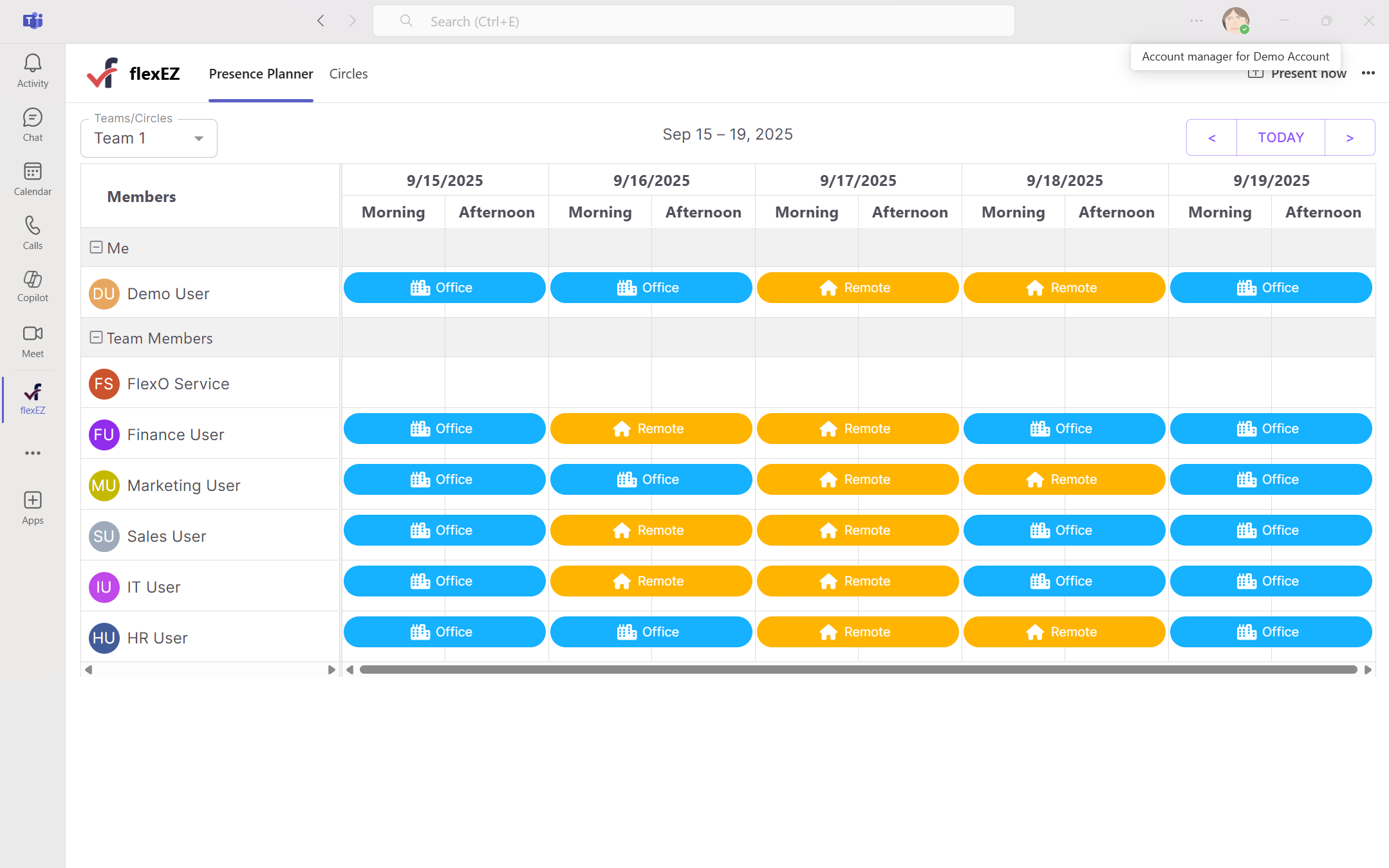
Microsoft Teams
Book rooms directly from Teams with our native integration tab
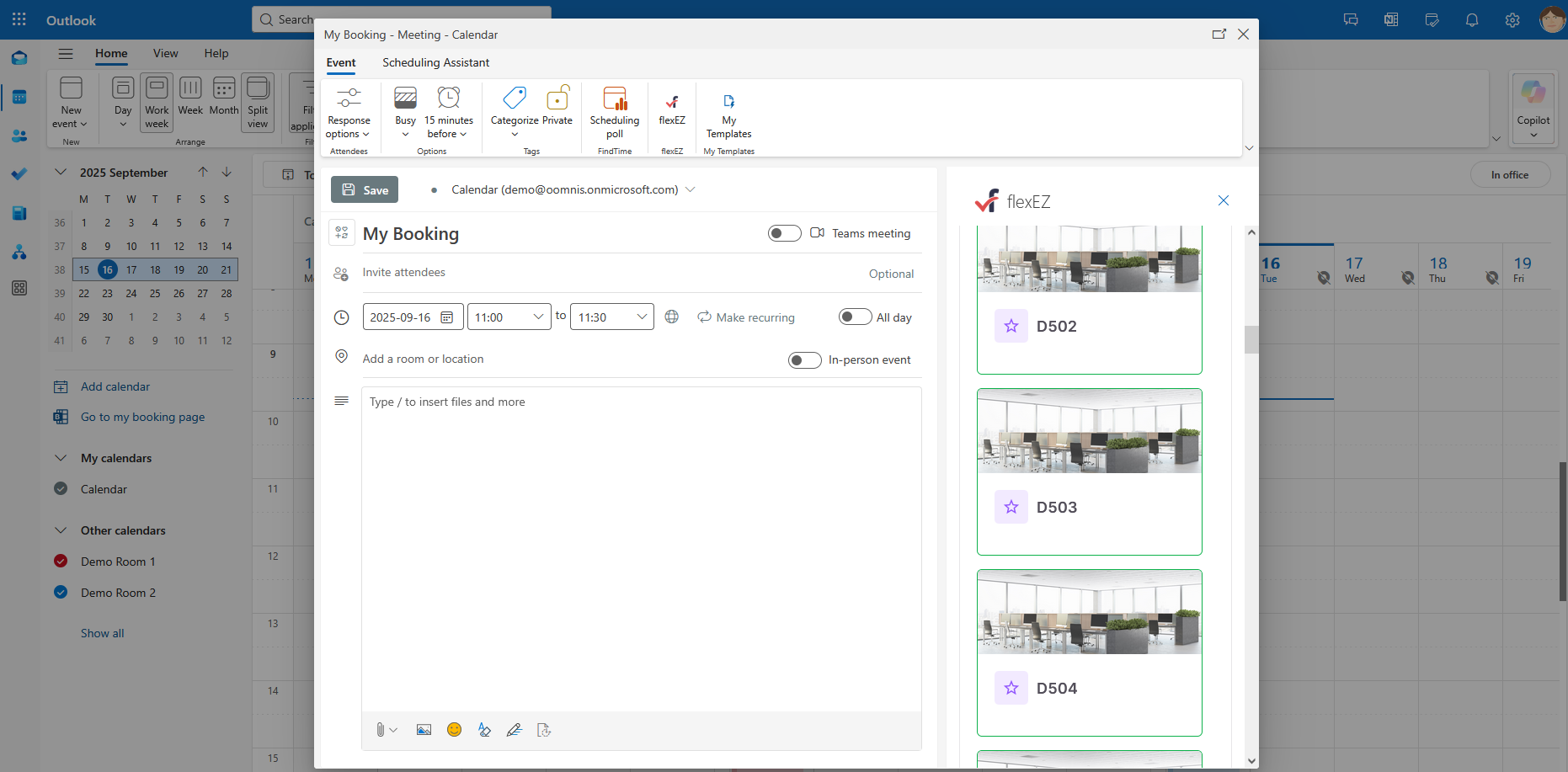
Outlook & Exchange
Bidirectional sync ensures your calendar is always up to date
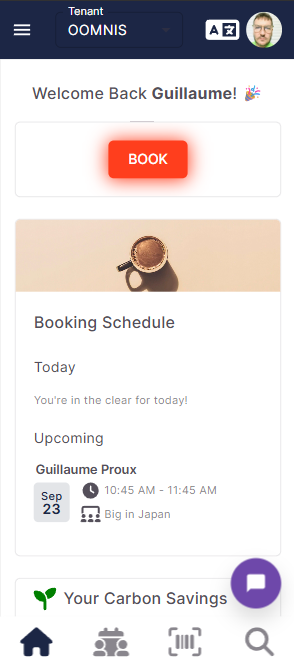
Mobile Web App
No app install needed. Just scan a QR code to tap in or book.